Trend Quality Index
A reading from 0 to 1 on every bar, built from four measurements: directional efficiency, volume, where price sits in its range, and how persistent momentum has been.
 Invite-only TradingView indicator
A plain Supertrend flips the same way in a strong trend and in sideways chop, which is why it whipsaws. Algo Shadow Matrix measures how clean the trend is on every bar, widens or tightens its bands to match, and puts a score on every signal so you can see which flips are worth your attention.
$47one payment, lifetime access
Get lifetime access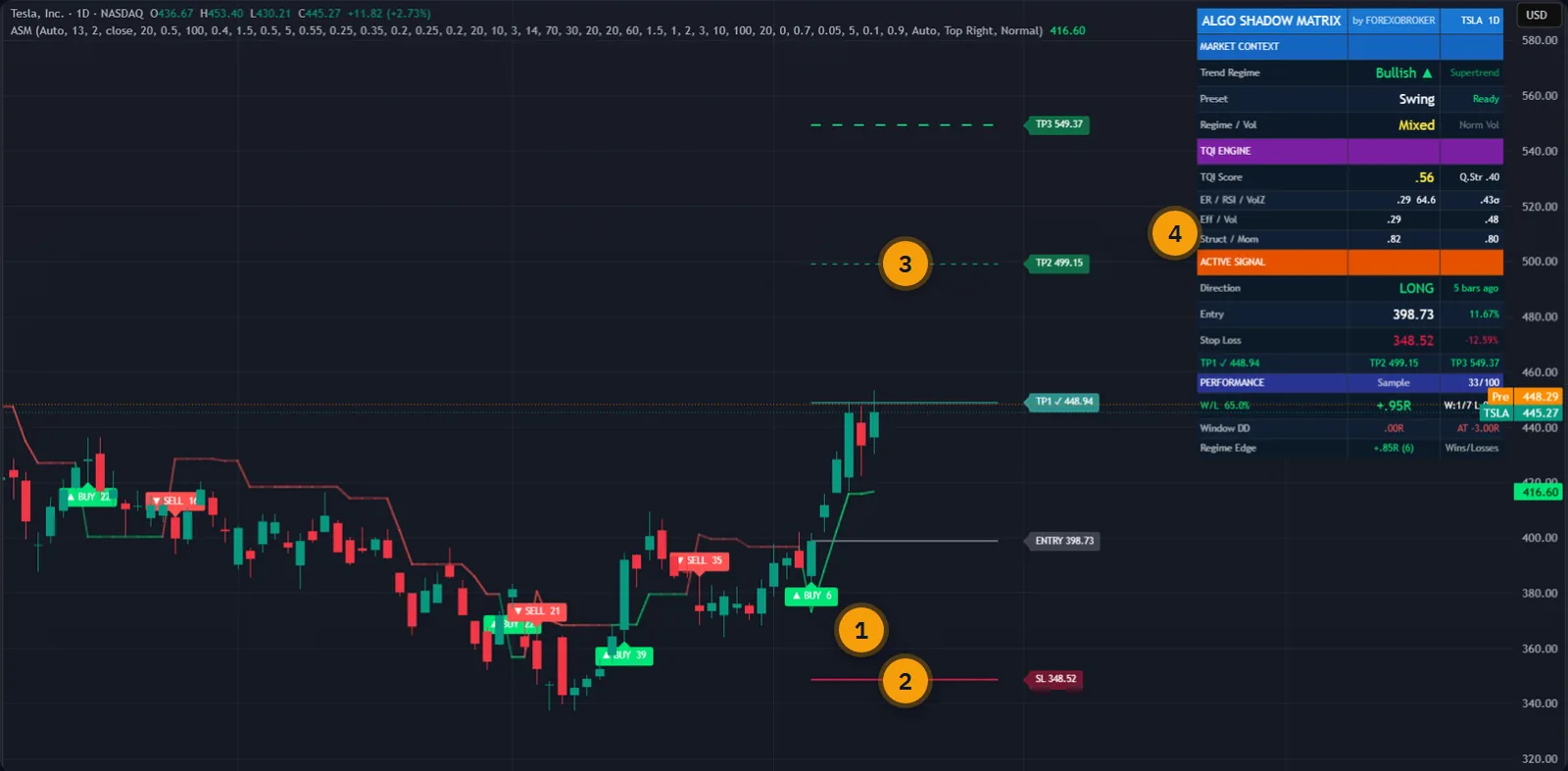
The published walkthrough: the indicator on real charts, what its inputs do, and which signals to take and which to skip.
Supertrend has one number that matters: the ATR multiplier. It is fixed. The band is as wide in a clean trend as it is in a sideways mess, and that single fact explains most of the trouble people have with it.
Set the multiplier low and the line hugs price. You catch trends early, and then you get flipped in and out five times while the market goes nowhere. Set it high and the chop stops hurting, but every real reversal is confirmed so late that a large part of the move is already gone.
There is no right setting, because the market is not in one state. What is needed is a band that changes its own width as conditions change, and a way to tell a strong flip from a weak one before acting on it. That is what this indicator does.
The script page on TradingView is public. Read the full description there before you pay.
One indicator on the chart, no second window, no extra scripts to line up.
A reading from 0 to 1 on every bar, built from four measurements: directional efficiency, volume, where price sits in its range, and how persistent momentum has been.
When quality is high the bands tighten and hold the trend closely. When quality drops they widen and give price room, so chop produces fewer false flips.
If trend quality collapses while the trend is still technically intact, the regime can flip before price breaks the band. It reacts to the change in behaviour, not only to the level.
Six independent checks, up to 17 points each, summed to a score out of 102 and printed on the signal label. You choose the minimum score you want to see.
Entry, stop loss and TP1, TP2, TP3 are drawn with the signal. Three stop modes, targets in R-multiples you set, and each level is ticked when price reaches it.
Trend regime, the quality reading and its four parts, the open signal with live distance, and the tool's own rolling record on the chart you are looking at.
BUY, SELL, bullish shift, bearish shift and any target or stop being hit. Pop-up, push, email or webhook with structured JSON for a bot.
Auto reads the chart timeframe and picks the settings. Scalping, Default, Swing and Crypto 24/7 are there if you prefer to choose, and every input stays editable.
Every signal, label and level is fixed on the closed bar and never moves. Reload the chart and the same signals are in the same places.
Every picture below is a TradingView capture with numbered notes added. Nothing on the charts is drawn by hand. Click any image to enlarge it.
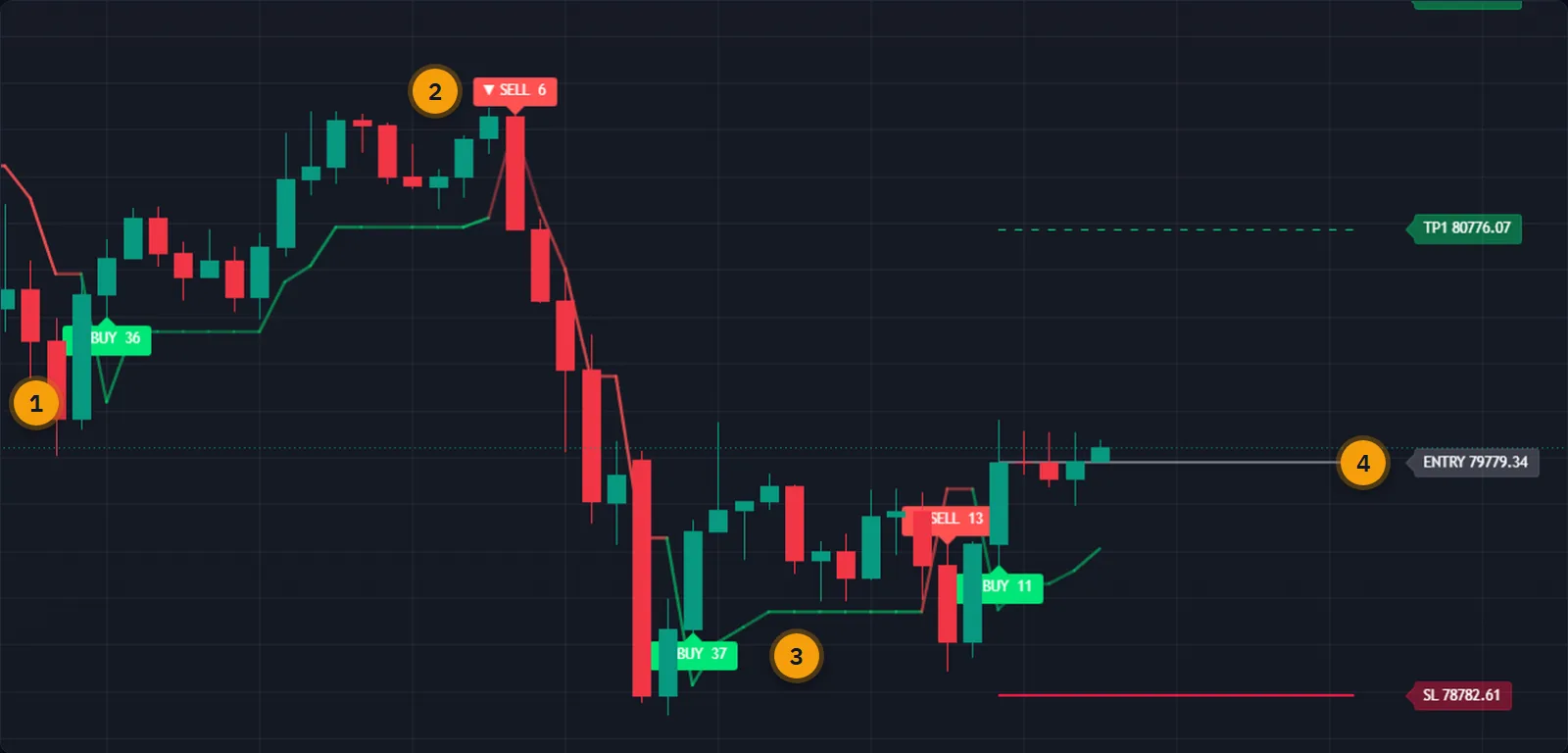
A Supertrend flip tells you direction changed. It does not tell you whether the change means anything. On this Bitcoin chart the five signals score 36, 6, 37, 13 and 11, and the difference is visible on the chart: the two highest scores came at real turns, the lowest came against a rising market.
The score is a measure of how many conditions agreed and how strongly. It is not a probability of profit, and the page will not pretend it is. What it gives you is a consistent reason to skip the weak ones.

When a signal closes, the entry, the stop and three targets appear with their prices. You can size the position from the stop distance straight away instead of measuring anything by hand.
The stop can come from ATR plus the nearest pivot, from pure ATR, or from the recent swing. Targets default to 1R, 2R and 3R and you can change each one. When price reaches a level it is marked on the bar where it happened, and the dashboard updates.
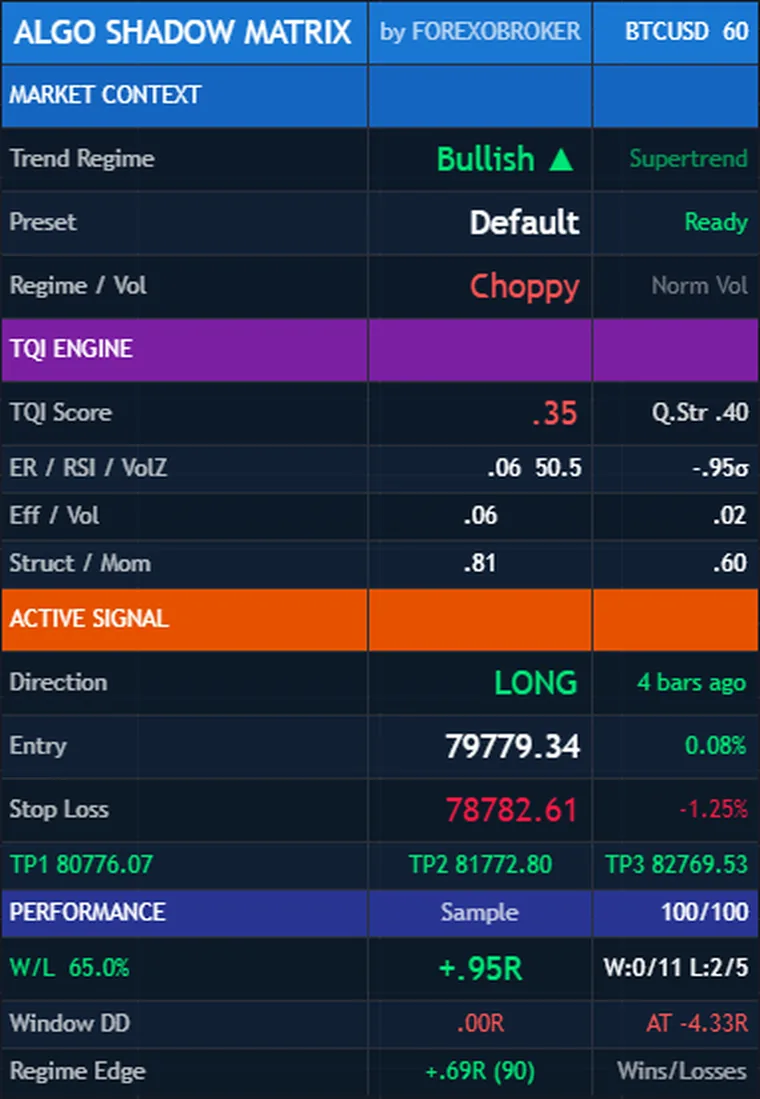
Which way is the regime, how clean is the trend, what is open right now, and how has this tool been doing on this exact chart. The last one matters: the performance block is the indicator keeping score of its own last 100 signals on the symbol and timeframe in front of you, in R.
That record is a readout of the past on that chart. It is useful for deciding where the tool fits and where it does not. It is not a forecast.
The calculations are not tied to a symbol. Forex, gold and silver, crypto, single stocks, indices and oil all work, from the one-minute chart to the monthly.
Where real volume is not available, as on many CFDs and indices, the volume part of the quality reading falls back to an ATR ratio automatically, so you do not have to change anything.
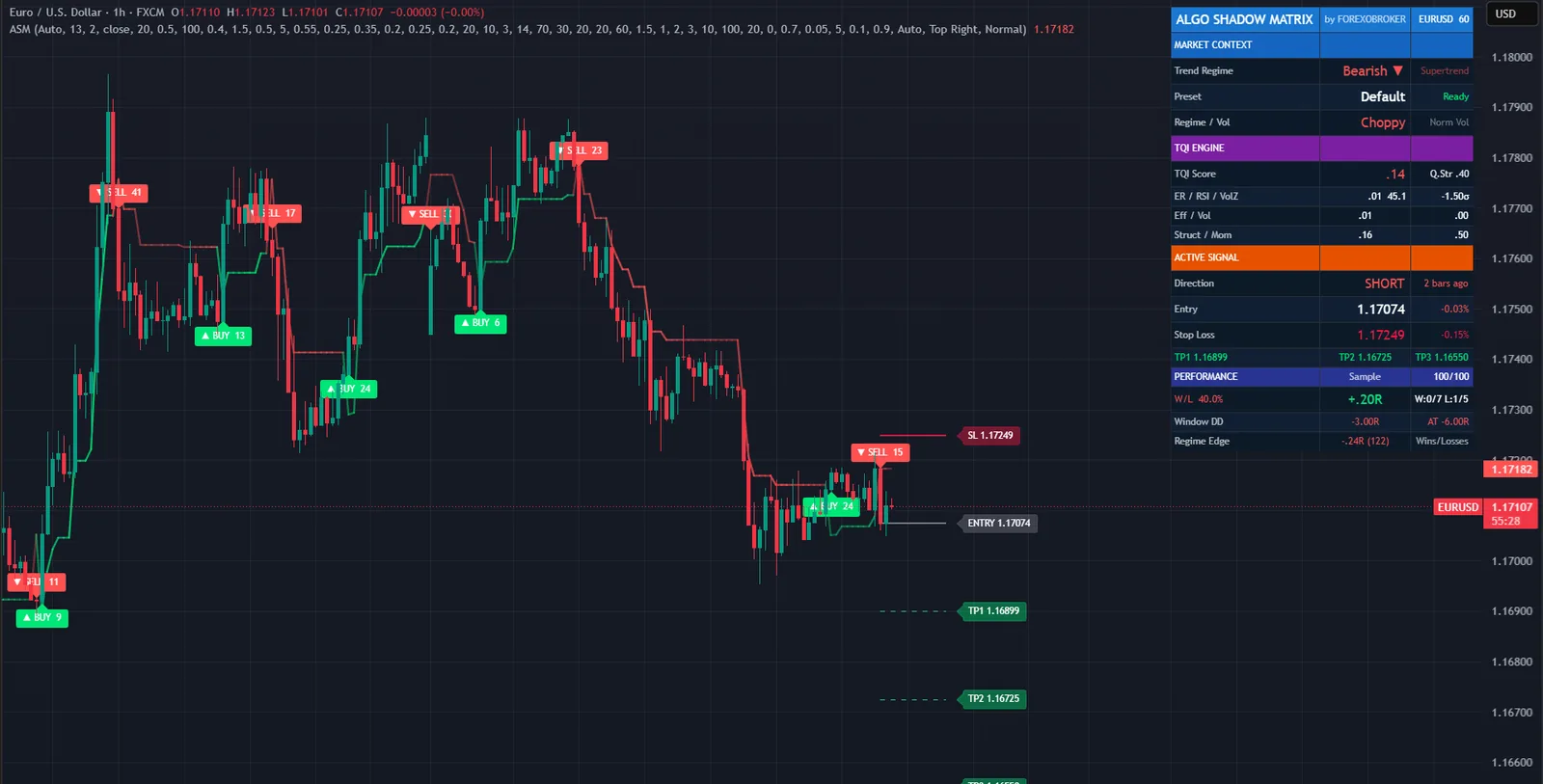

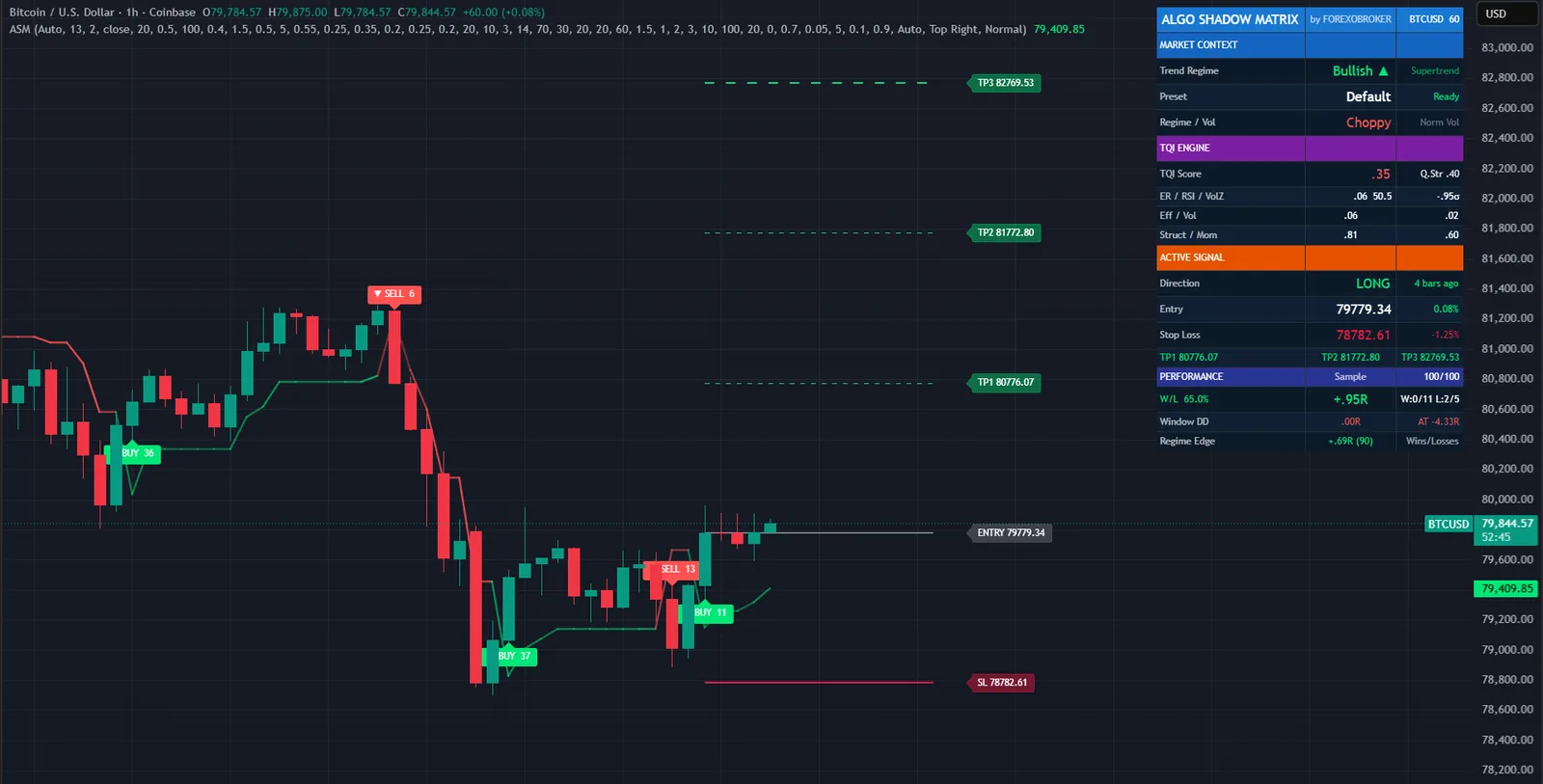
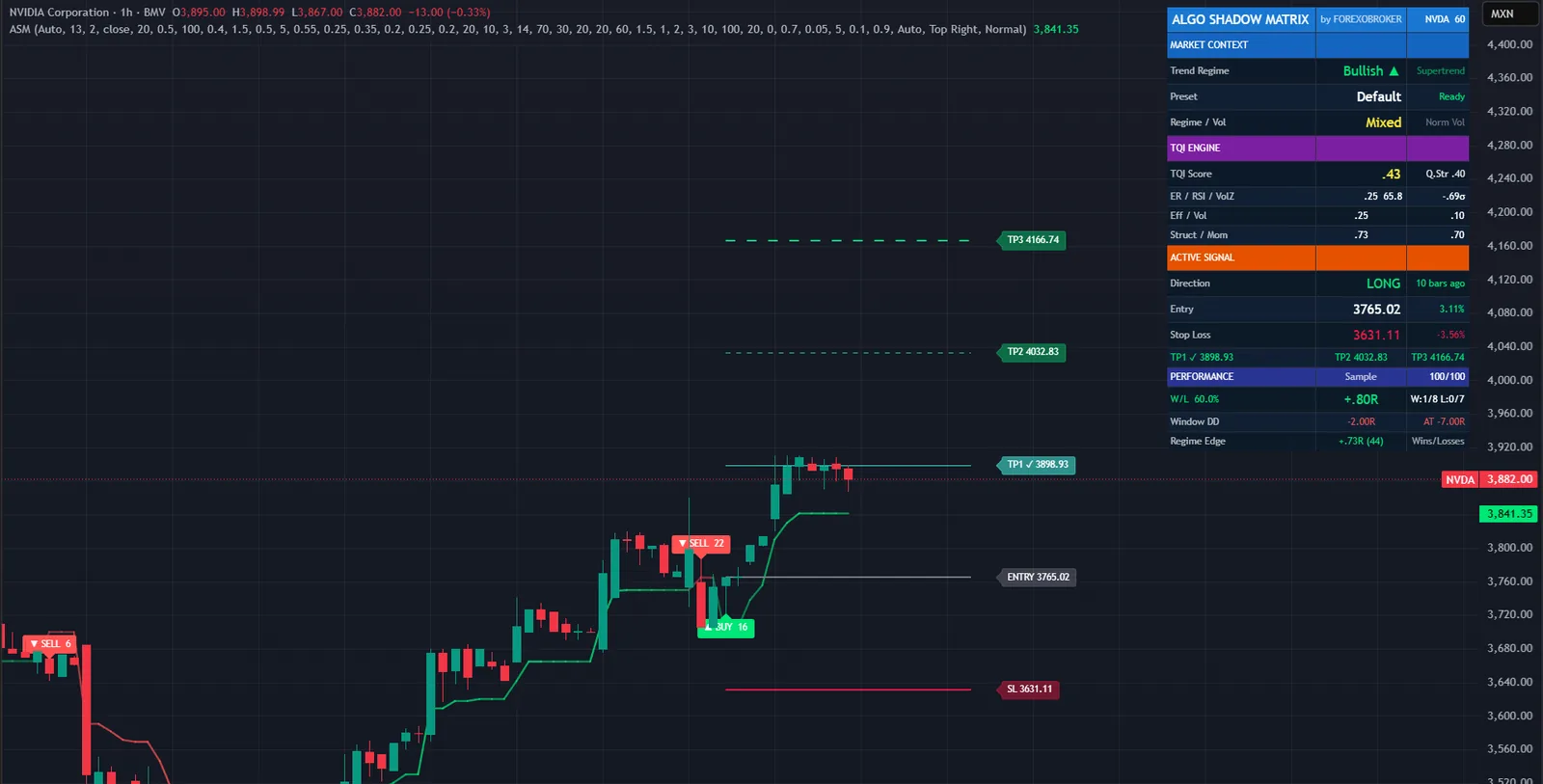

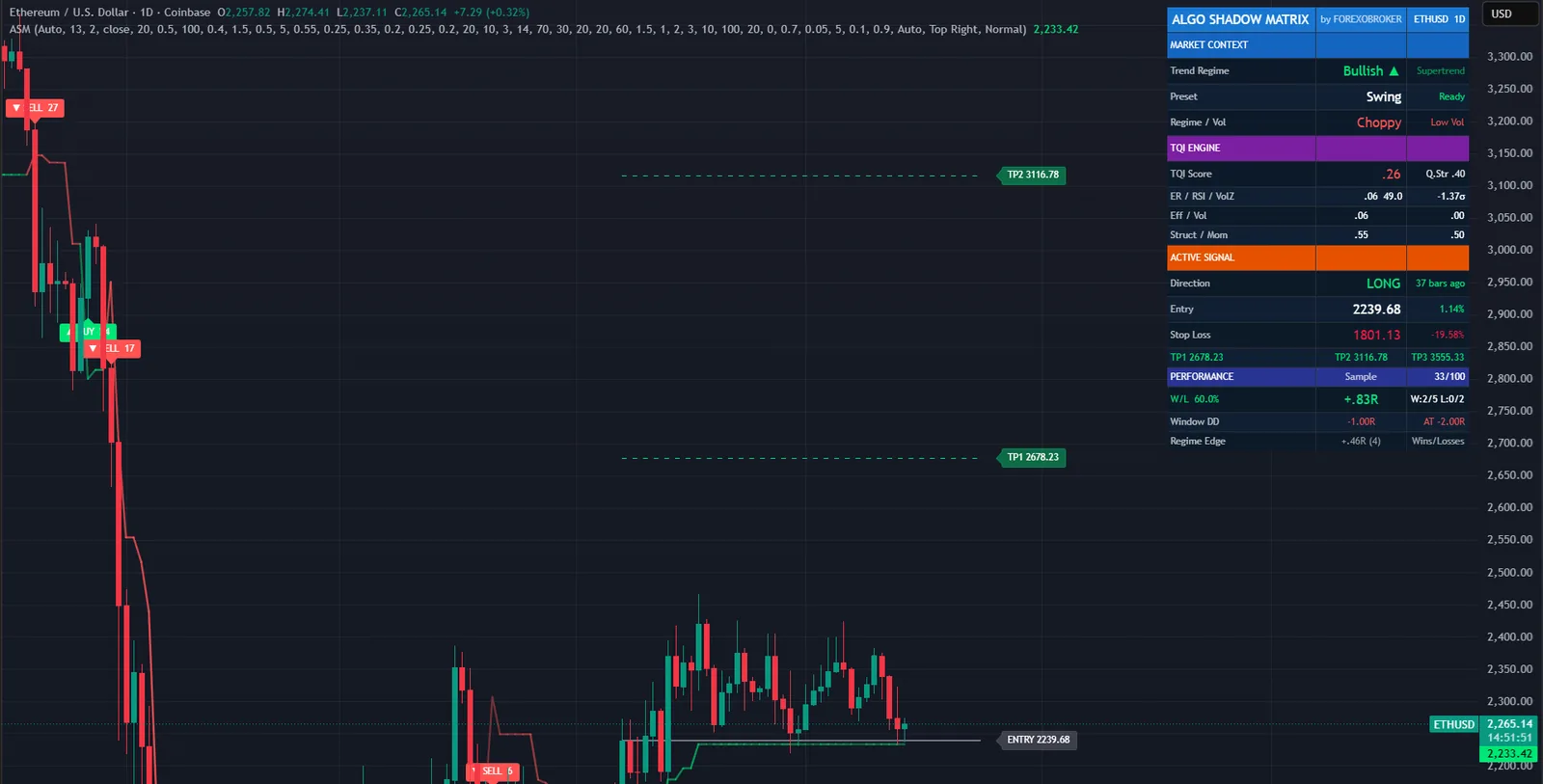
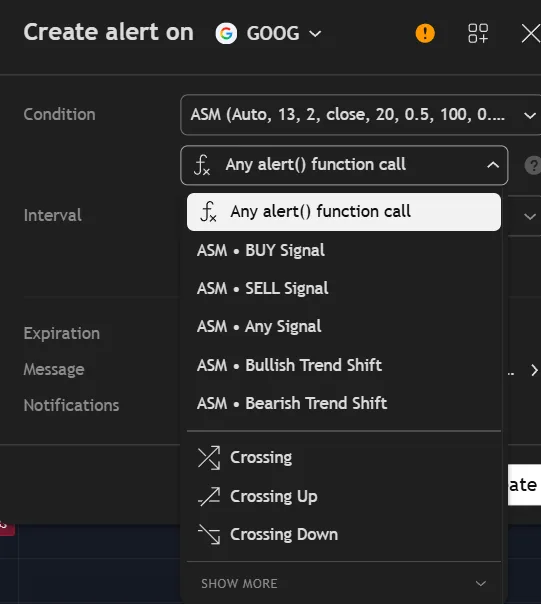
Set a TradingView alert once and the indicator tells you when something happens: a BUY, a SELL, the regime turning, or a target or stop being reached. Alerts fire on the closed bar, and nothing is sent for old history when you first add the indicator to a chart.
Each message can carry structured JSON with the price, the stop, the three targets, the score and the quality reading, which is what a Telegram or Discord bot, or an automation service, needs.
Four measurements, each scaled from 0 to 1, combined with weights you can change. Nothing hidden and nothing exotic.
Net movement divided by the total path price travelled. Close to 1 means price went somewhere. Close to 0 means it moved a lot and arrived nowhere.
Is participation above or below normal right now. Uses volume where it is reliable, and an ATR ratio where it is not.
Where price sits inside its recent range. Pinned to an edge is trending behaviour. Sitting in the middle is not.
How many recent bars closed in the direction of the move. Eight of ten is persistent. Alternating up and down is noise.
| Plain Supertrend | Algo Shadow Matrix | |
|---|---|---|
| Band width | Fixed ATR multiple | Changes every bar with trend quality |
| Sideways markets | Repeated false flips | Bands widen, fewer flips |
| Signal strength | None, every flip looks the same | Score from 0 to 102 on the label |
| Early regime change | Only when price breaks the band | Also when trend quality collapses |
| Stop and targets | You work them out | Drawn with the signal, in R |
| Feedback | None | Rolling record of its own signals on the chart |
| Alerts | Direction change | Five events, with webhook JSON |
No subscription and no renewal. Pay once and the indicator stays on your TradingView account, updates included.
Algo Shadow MatrixTradingView indicator
$47one payment, lifetime access
Access is granted by hand from my TradingView account, normally within a few hours and always within 24 hours of your form arriving.
Because access to an invite-only script cannot be handed back, a sale is final once access has been granted. The script page on TradingView is public, so you can read the full description and see it on charts before you pay.
The full terms of sale and the privacy notice for buyers are one page each, in plain language.
Trading carries risk of loss. This is an analysis tool, not financial advice, and no indicator can promise a profit.
No. Signals, labels, the stop and the targets are all fixed when the bar closes and they never move afterwards. If you reload the chart, the same signals appear in the same places.
No. Invite-only indicators work on the free plan. The free plan limits how many indicators you can have on one chart and how many alerts you can run, so a paid plan helps if you use many, but it is not required for this one.
I grant access by hand from my TradingView account. It is normally done within a few hours and always within 24 hours of your form arriving, including weekends.
No. It is one payment of 47 USD for lifetime access on one TradingView username, with future updates included.
Any symbol TradingView offers and any timeframe from one minute to monthly. The Auto preset picks settings from the timeframe, and there are manual presets for scalping, swing trading and crypto.
Once access has been granted the sale is final, because access to an invite-only script cannot be returned. That is why the script page on TradingView is public: read it and look at the charts first. If you paid and access has not been granted yet, email me and I will refund you in full.
Yes. Email me from the address you bought with and I will move the access to your new username.
Yes. The same indicator is on the MQL5 Market for MetaTrader 4 and 5 and on the cTrader Store. Those are separate products sold by those stores; this page is the TradingView edition.
No indicator can promise that, and this one does not. It gives you cleaner trend signals, a way to rank them, and a stop and targets to plan around. What you do with that, and how you size positions, decides the outcome.
Each one is invite-only, 47 USD once, and has its own page with charts and a full description.
A non-repainting adaptive trend-following indicator, with every trend flip graded and the stop and targets fixed at the signal.
$47 one payment, lifetime access
Order blocks, fair value gaps, market structure shifts, equal highs and lows and liquidity sweeps, scored into buy and sell signals.
$47 one payment, lifetime access
Pivot highs and lows joined by sloped trendlines, with buy and sell signals on a confirmed break at bar close.
$47 one payment, lifetime access
47 USD once. Lifetime access on your TradingView username, updates included, and access granted within 24 hours.


