Confluence score
Every cross is weighed against the filters and its score is printed on the plate. Min Confluence Score decides what you see, and 60 to 70 is a noticeable tightening.
 NinjaTrader 8 indicator, NinjaScript
A Tenkan and Kijun cross on its own says nothing about the cloud around it, the volume behind it or the lagging span. Kumo Forge Pro reads all of that on the closed bar and prints the answer on the plate: a confluence score, with the entry, the stop and three targets drawn at the signal. Its periods can scale with volatility, and on NinjaTrader 8 it reads real contract volume.
$77one payment, lifetime licence
Get the lifetime licence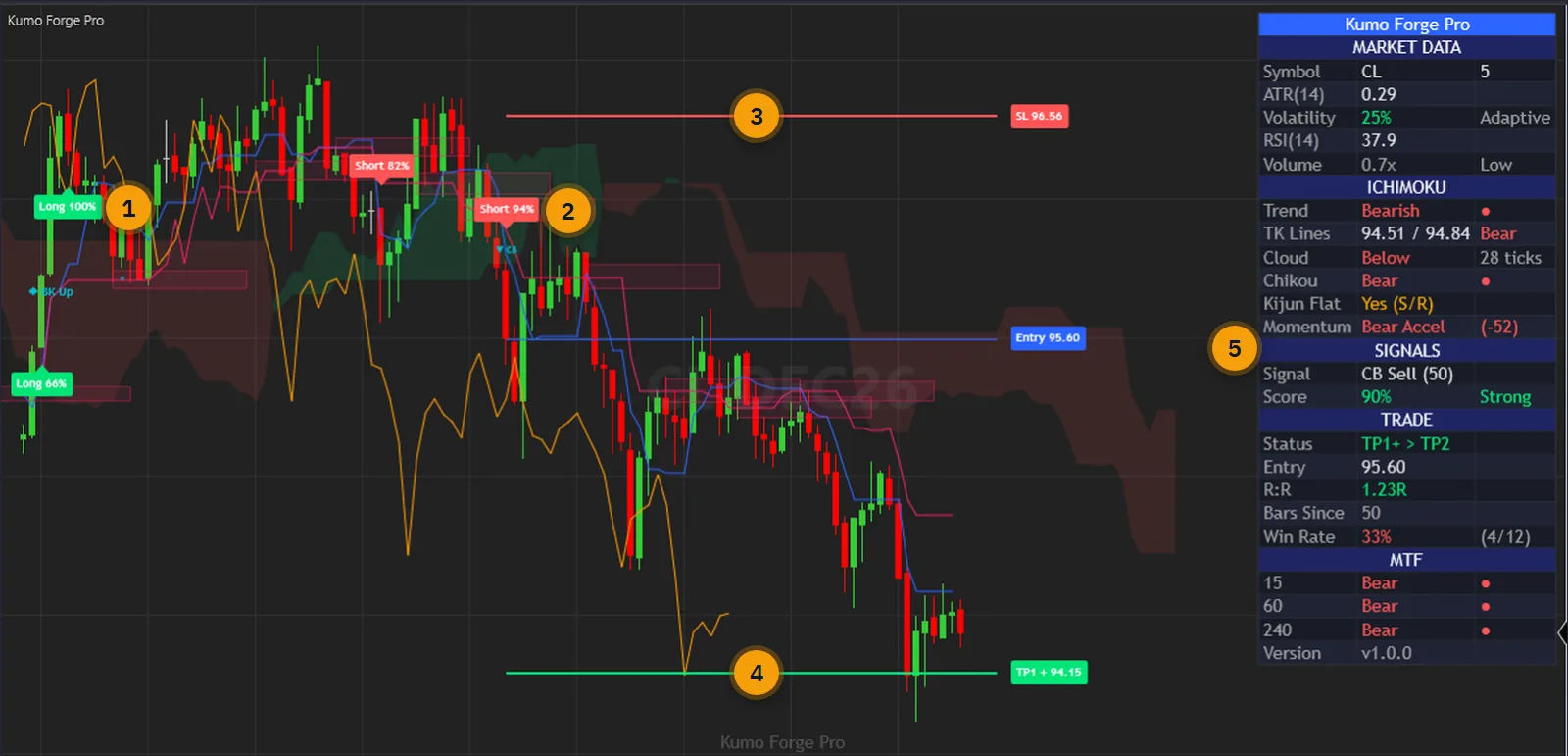
An Ichimoku chart is five lines and a cloud, and a trader is expected to weigh them all at every cross: which side of the cloud price is on, how thick the cloud is, what the lagging span agrees with, whether the volume was there. The lines do not do that weighing. You do, on every bar, and a cross in thin cloud looks exactly like a cross in a clean trend.
The fixed periods add a second problem. Periods of 9, 26 and 52 react the same way in a quiet session and a fast one, so the same setting lags in one and whipsaws in the other.
Kumo Forge Pro does the weighing on the closed bar and prints it as a score you can filter on. In its default Adaptive mode the periods scale with volatility, and Classic mode is one setting away. Then it draws the stop and the targets, so the plan is on the chart before you open the order ticket.
The user guide is public: every parameter and the verification are in it. Read it before you pay.
One indicator in the price panel: the cloud, the signals, the score, the levels and the dashboard together.
Every cross is weighed against the filters and its score is printed on the plate. Min Confluence Score decides what you see, and 60 to 70 is a noticeable tightening.
Tenkan/Kijun cross, Kijun bounce, cloud-edge bounce, cloud breakout and retest, each with its own switch. A Chikou breakout is there too, off by default.
Adaptive stretches and shrinks the periods with volatility, by a strength you set. Classic keeps them fixed at the numbers you enter.
Kumo Thickness, Volume above its 20-bar average, Chikou Confirmation and an optional RSI factor. Each one on or off, each visible in what it lets through.
The stop sits at the far cloud edge, the Kijun or two ATRs from the entry. Targets default to 1.5, 2.5 and 4 times the stop distance, and each is its own setting.
A close through the cloud counts only on volume above a multiple of its average, and a return to the broken edge within ten bars marks a retest.
Market data, the Ichimoku state with cloud distance in ticks, the last signal and score, the tracked trade and three higher-timeframe rows. Corner and text size are settings.
Cross, breakout, retest, both bounces, Chikou, targets and more, each with its own switch. They land in the Alerts Log, with sound and email channels when you turn them on.
Tenkan-Sen, Kijun-Sen, Chikou Span, Senkou A, Senkou B and Signal can be read by NinjaScript strategies and shown as Market Analyzer columns.
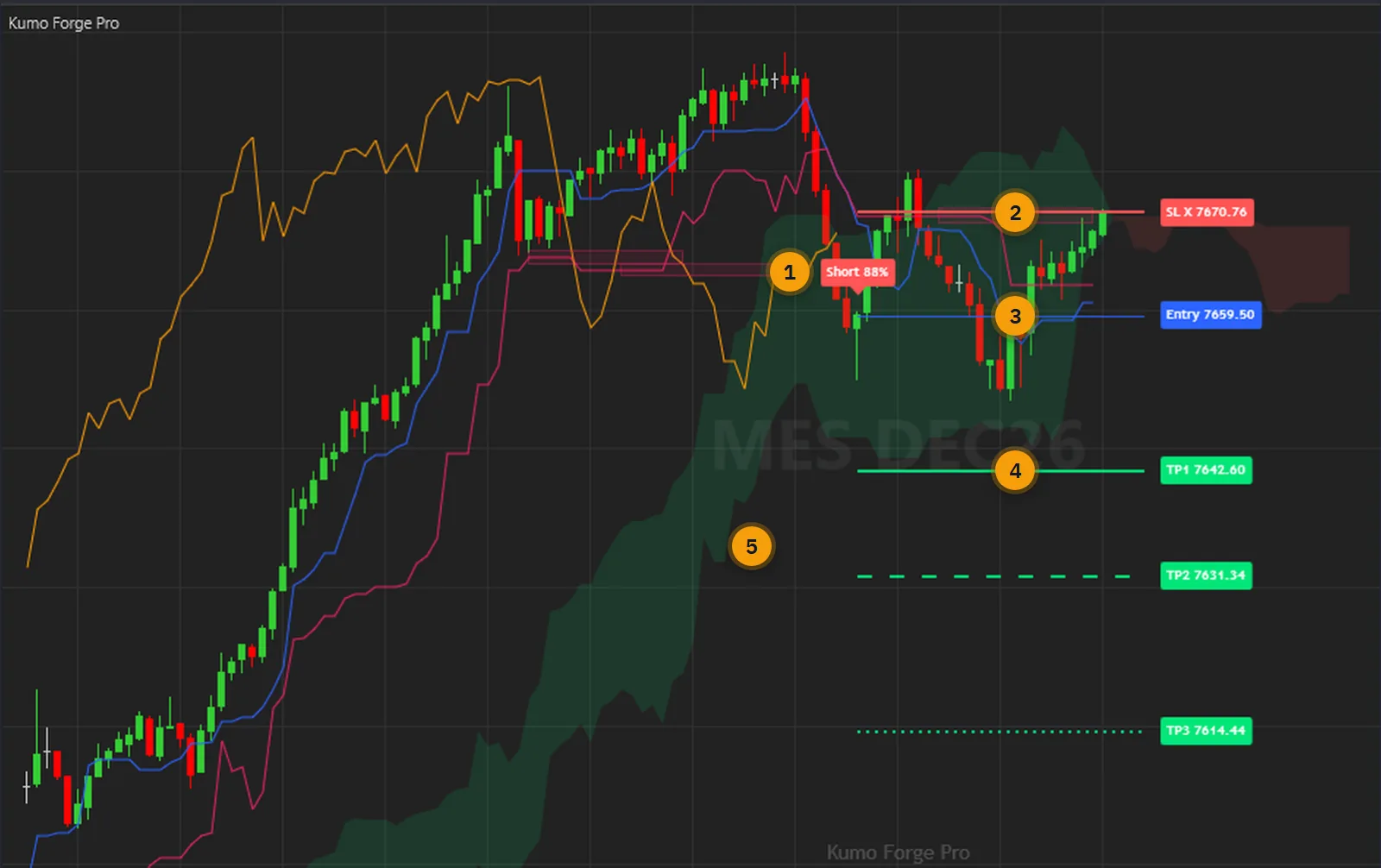
Every picture below is a NinjaTrader 8 capture with numbered notes added. Nothing on the charts is drawn by hand. Click any image to enlarge it.
A cross says the short line passed the long one. A bounce says a trend already running came back to a level and held. A breakout says price closed through the whole cloud with volume behind it, and a retest says it came back to the edge and stayed on the far side. Those are different situations, so they carry different marks on the chart.
Each family has its own switch, so you can keep the ones you trade and hide the rest. The score is a count of how much agreed. It is not a probability of profit.
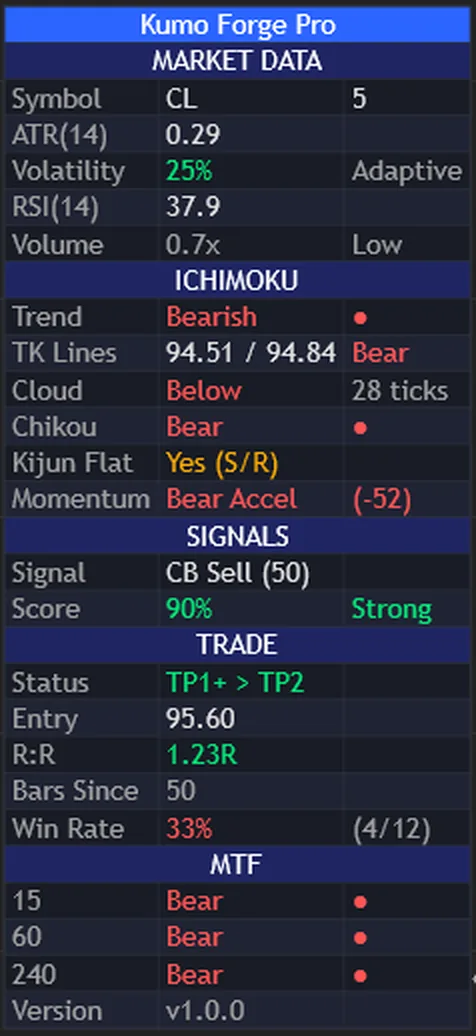
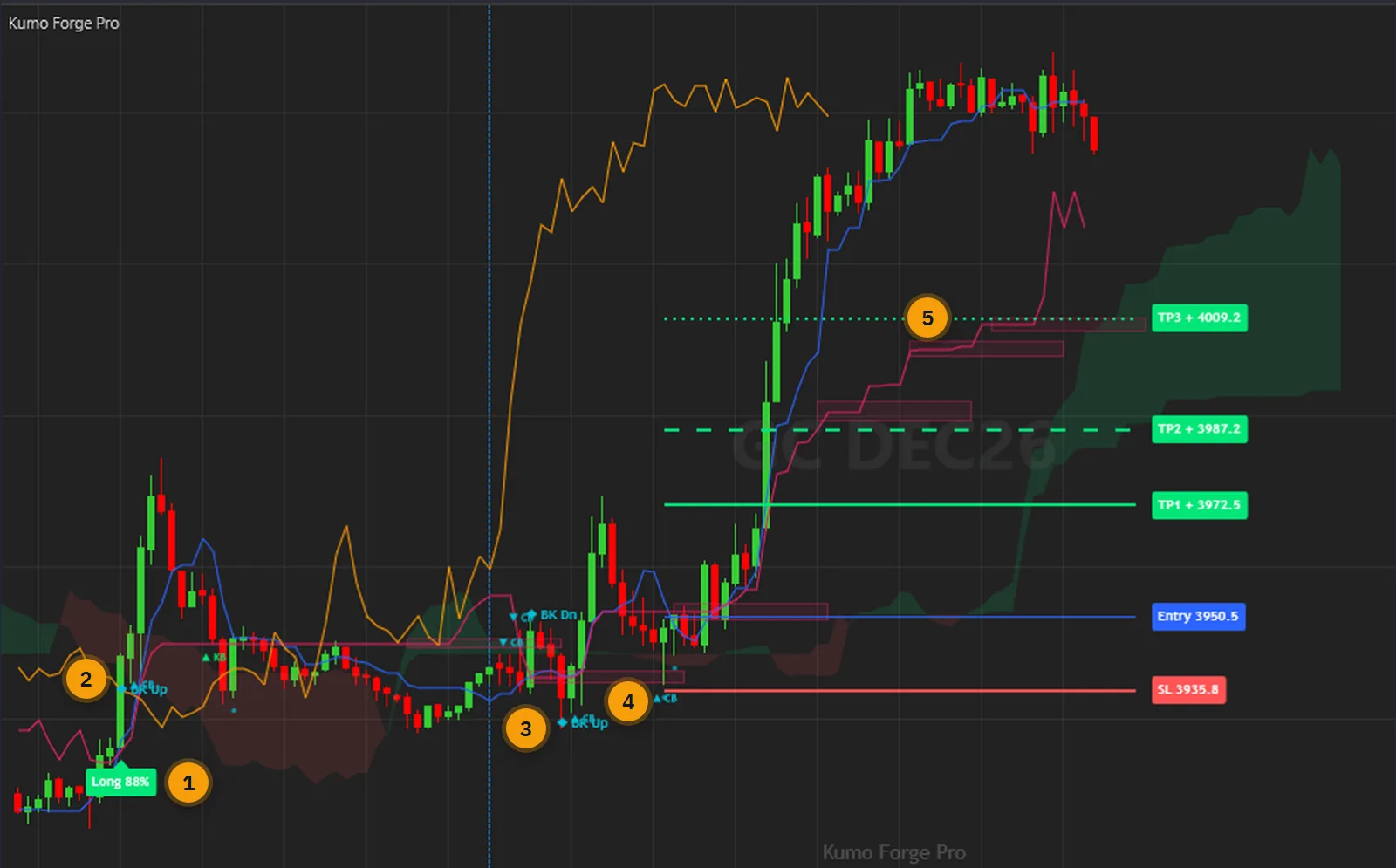
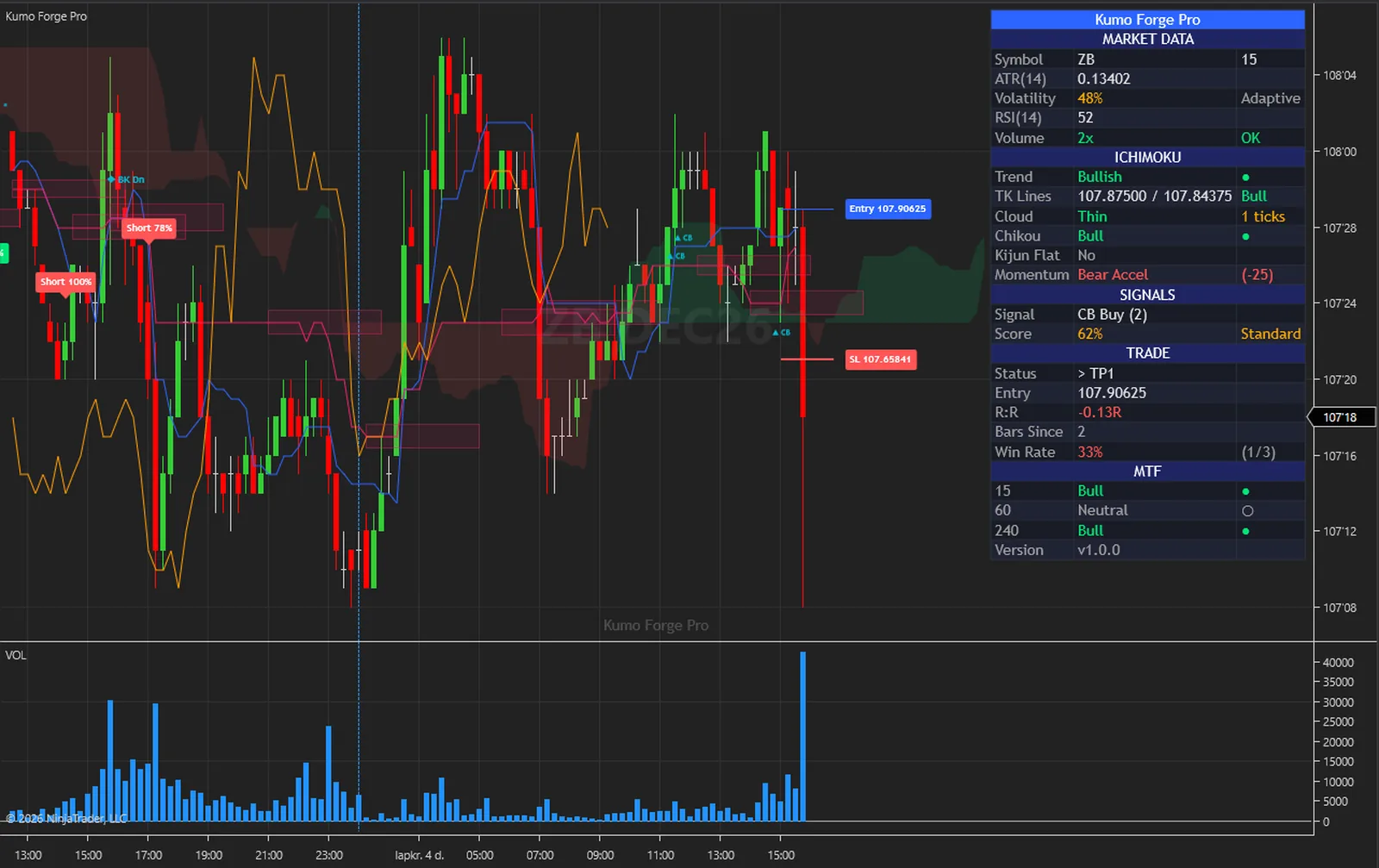
The dashboard answers the questions you would otherwise read off five lines: is the trend bullish or bearish, where is price against the cloud and by how many ticks, does the Chikou span agree, is the Kijun flat. Below that sit the last signal with its score and the tracked trade.
The three MTF rows read the same state on higher timeframes, 15, 60 and 240 minutes by default. The tally row counts what the bars on this chart did at these settings. It describes this history; it is not a forecast or a trading record.
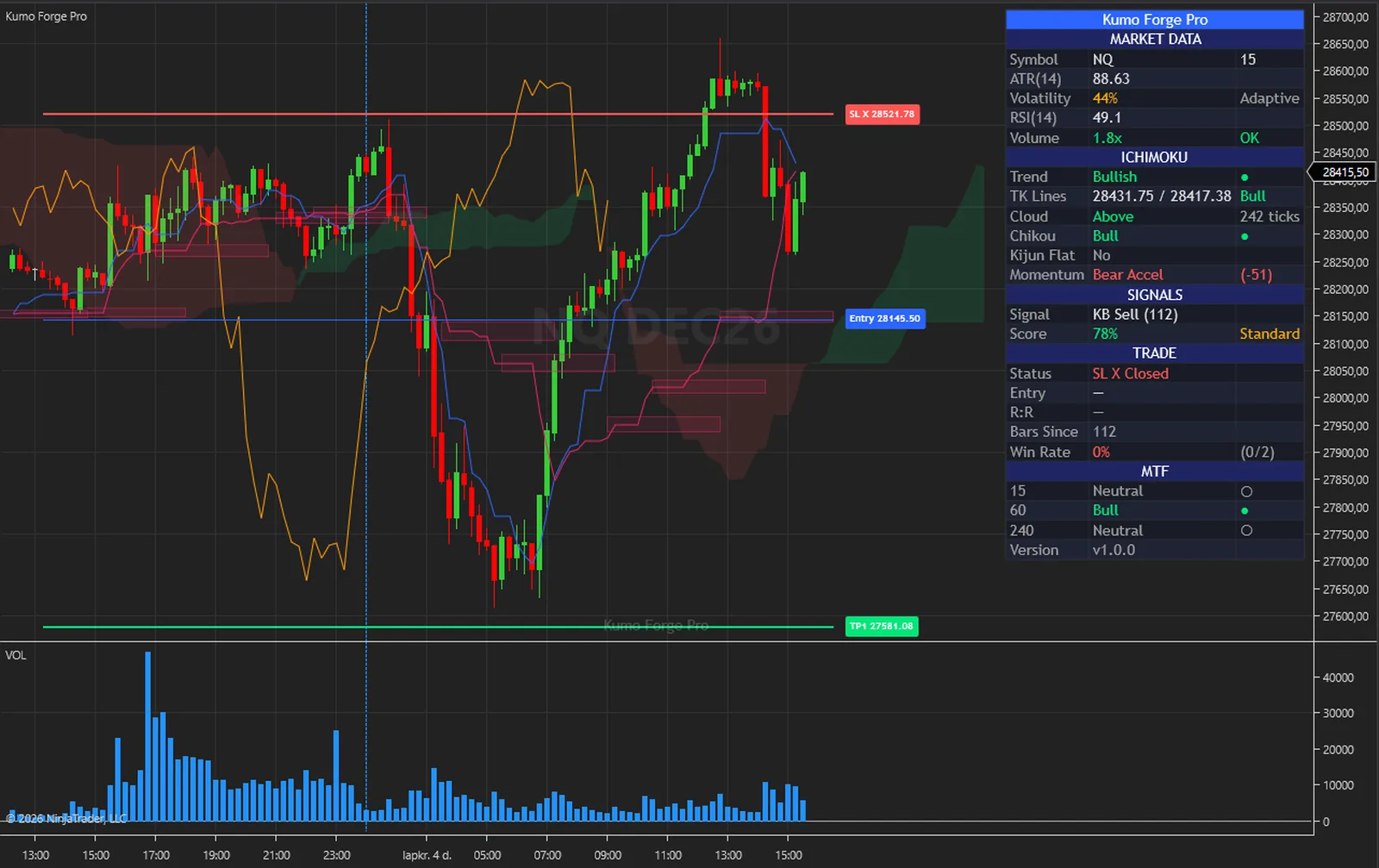
The newest signal gets an entry line, a stop and three targets with price tags. On this chart the stop was hit, and the chart says so plainly: the cross on the tag and SL X Closed in the status row. A chart that only shows the trades that worked would tell you nothing.
SL Mode decides where the stop sits: the far cloud edge plus a buffer, the Kijun plus a buffer, or two ATRs from the entry. The target distance is floored at half an ATR, so a very tight stop does not give you targets a tick away.
The calculations are not tied to an instrument. The captures below were taken in NinjaTrader 8 on the free simulation feed: index, energy, metal, currency and rate futures, from 1-minute to 30-minute bars, with the indicator at its default settings on every one.
On a futures chart the volume filter and the breakout test read real contract volume against its own 20-bar average. A bar with no volume passes those tests rather than blocking a signal.
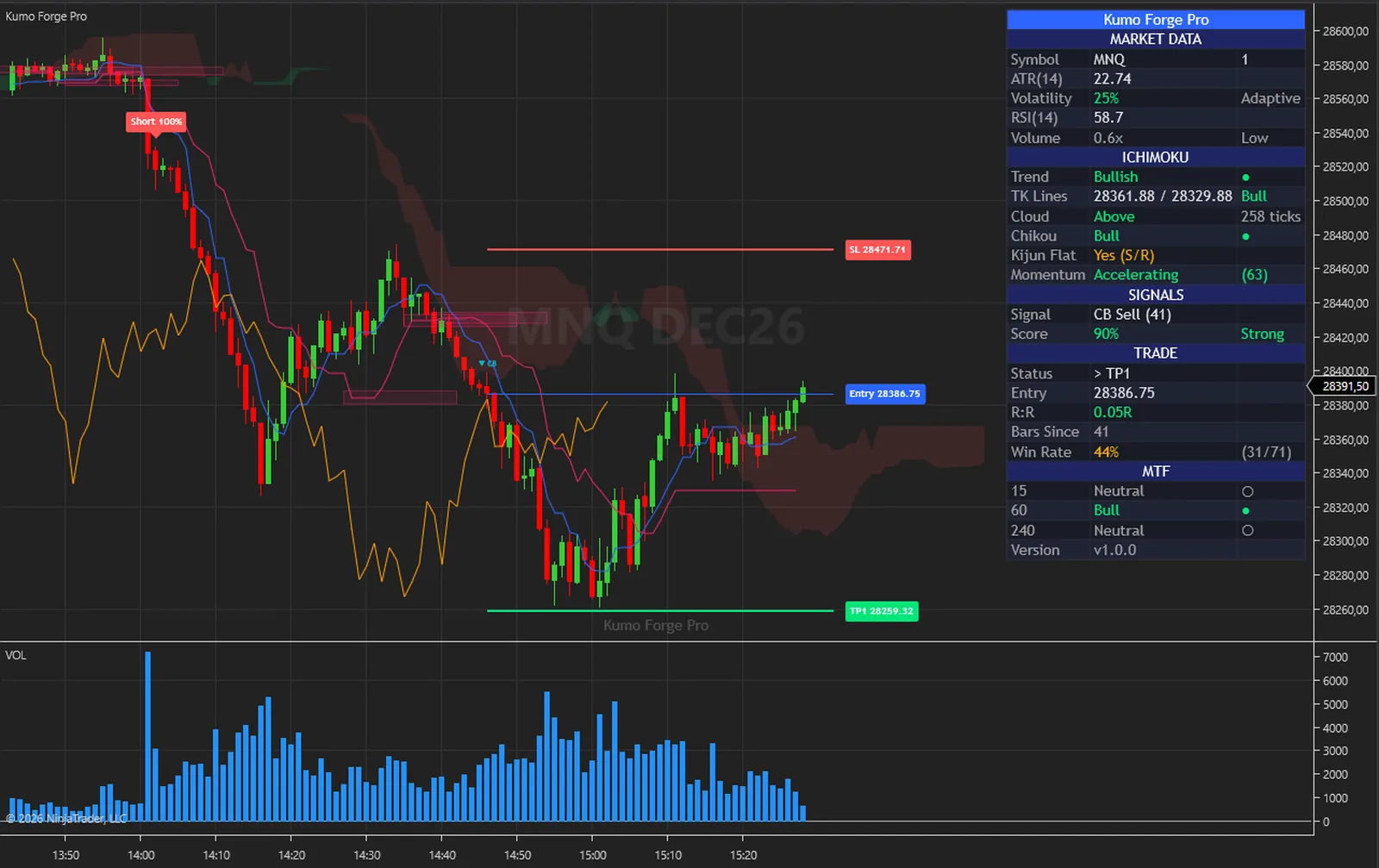
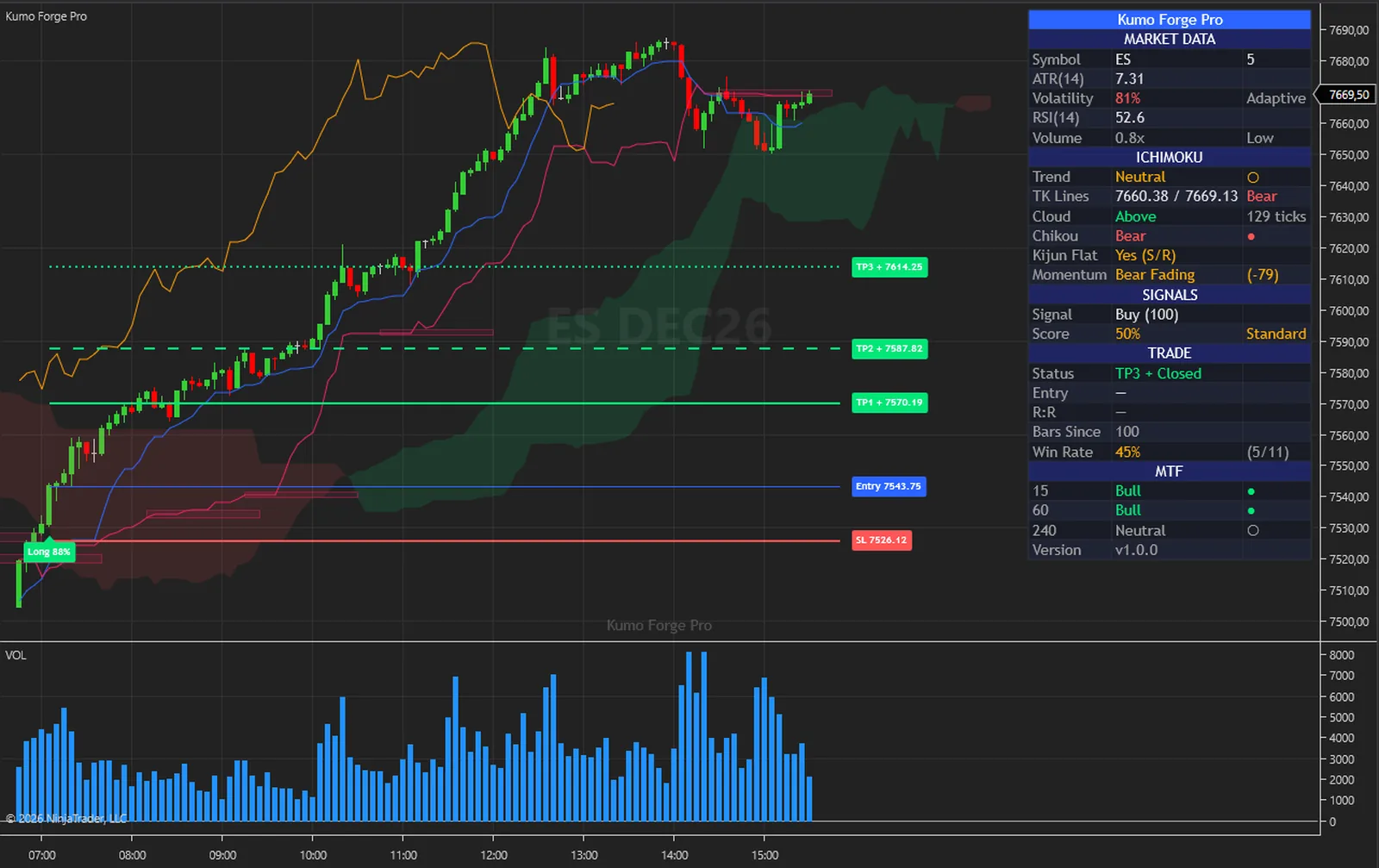
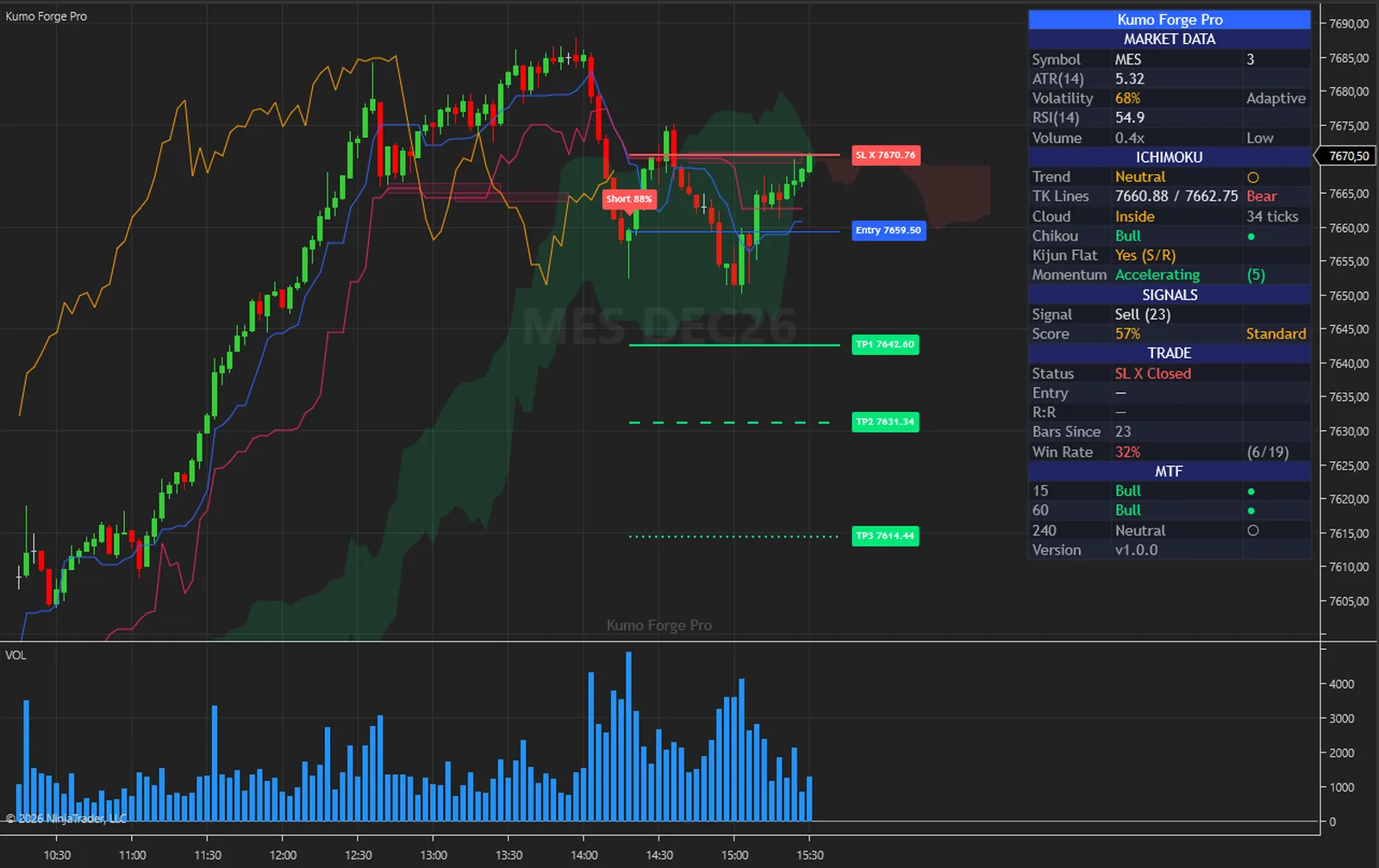
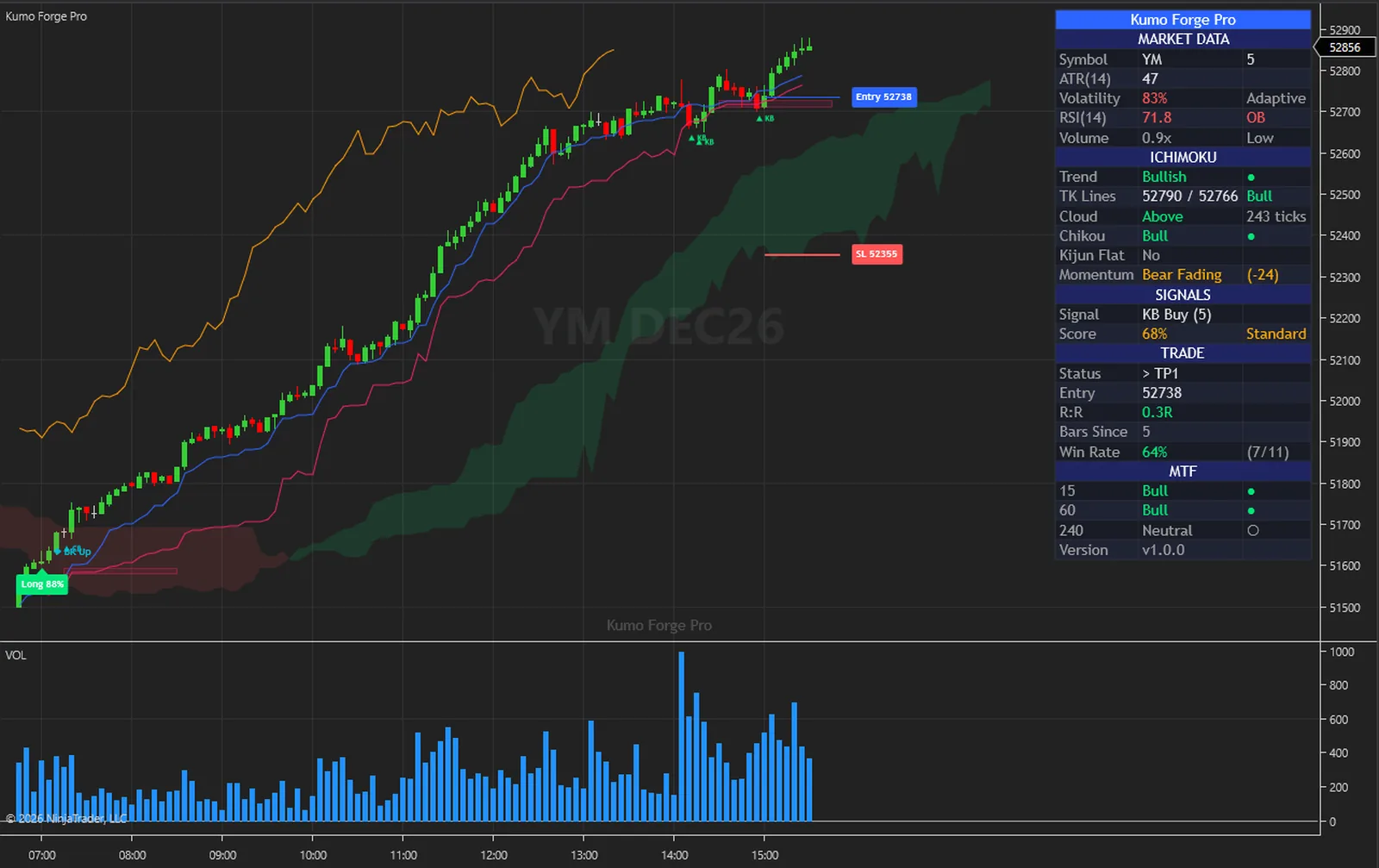
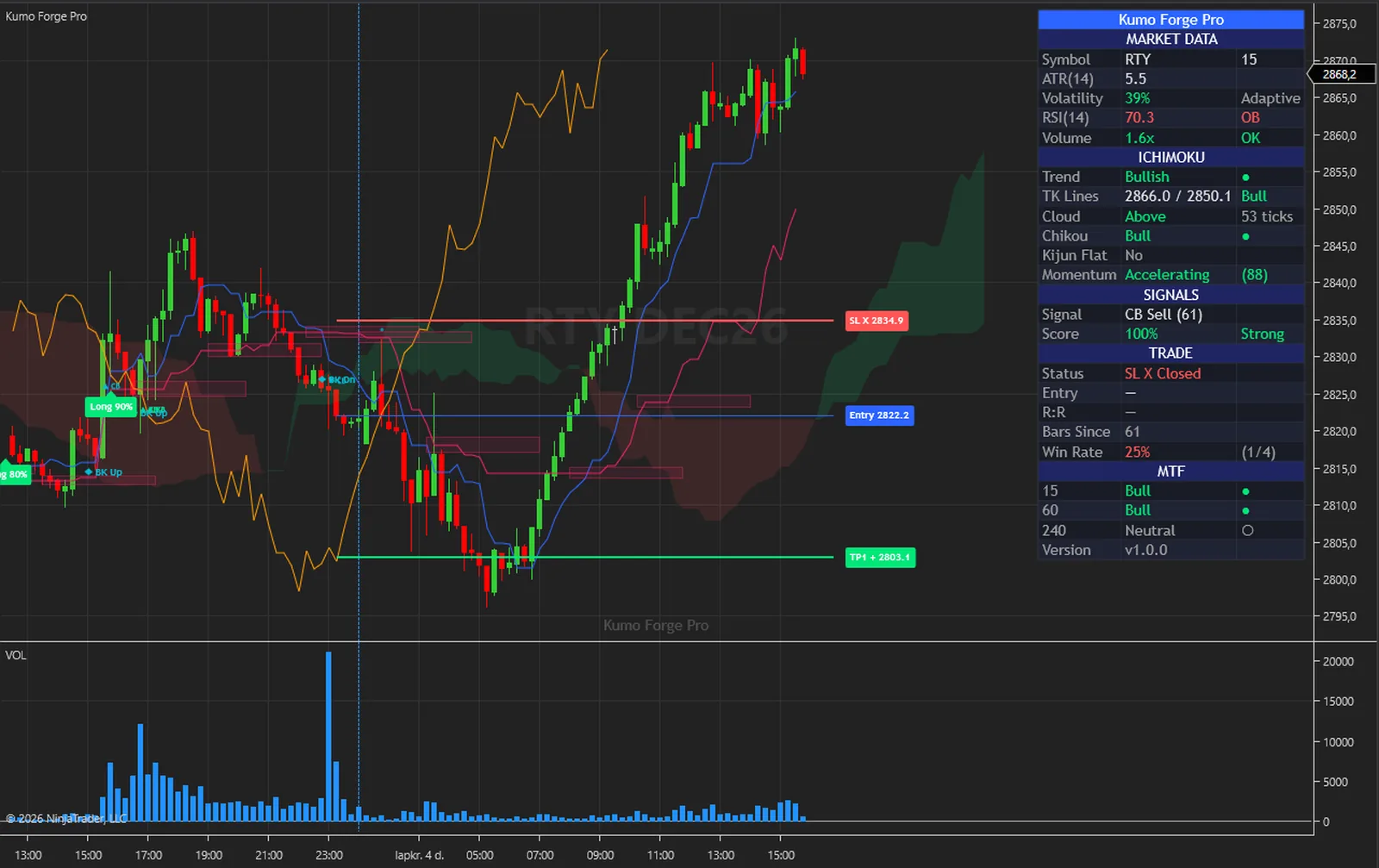
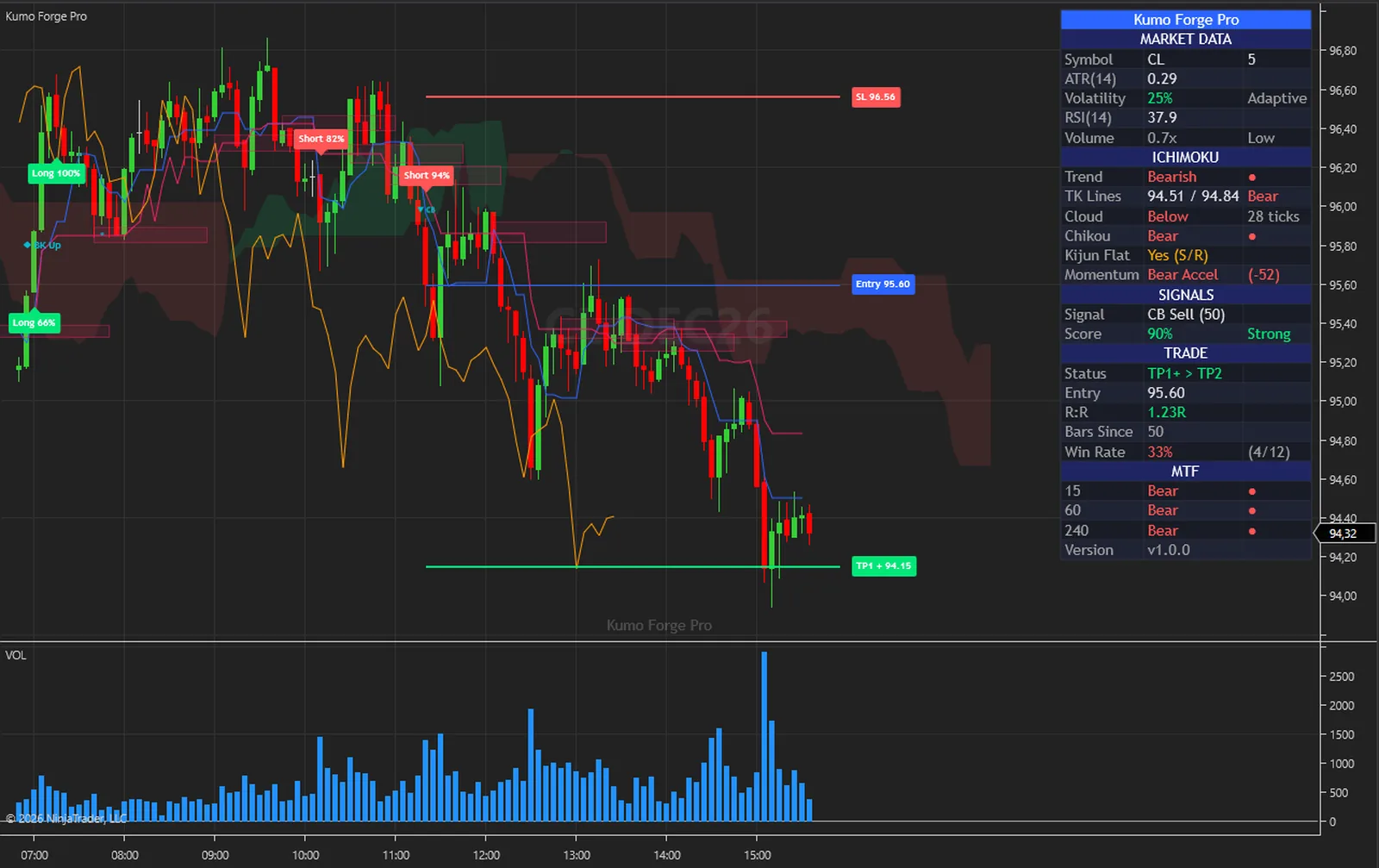
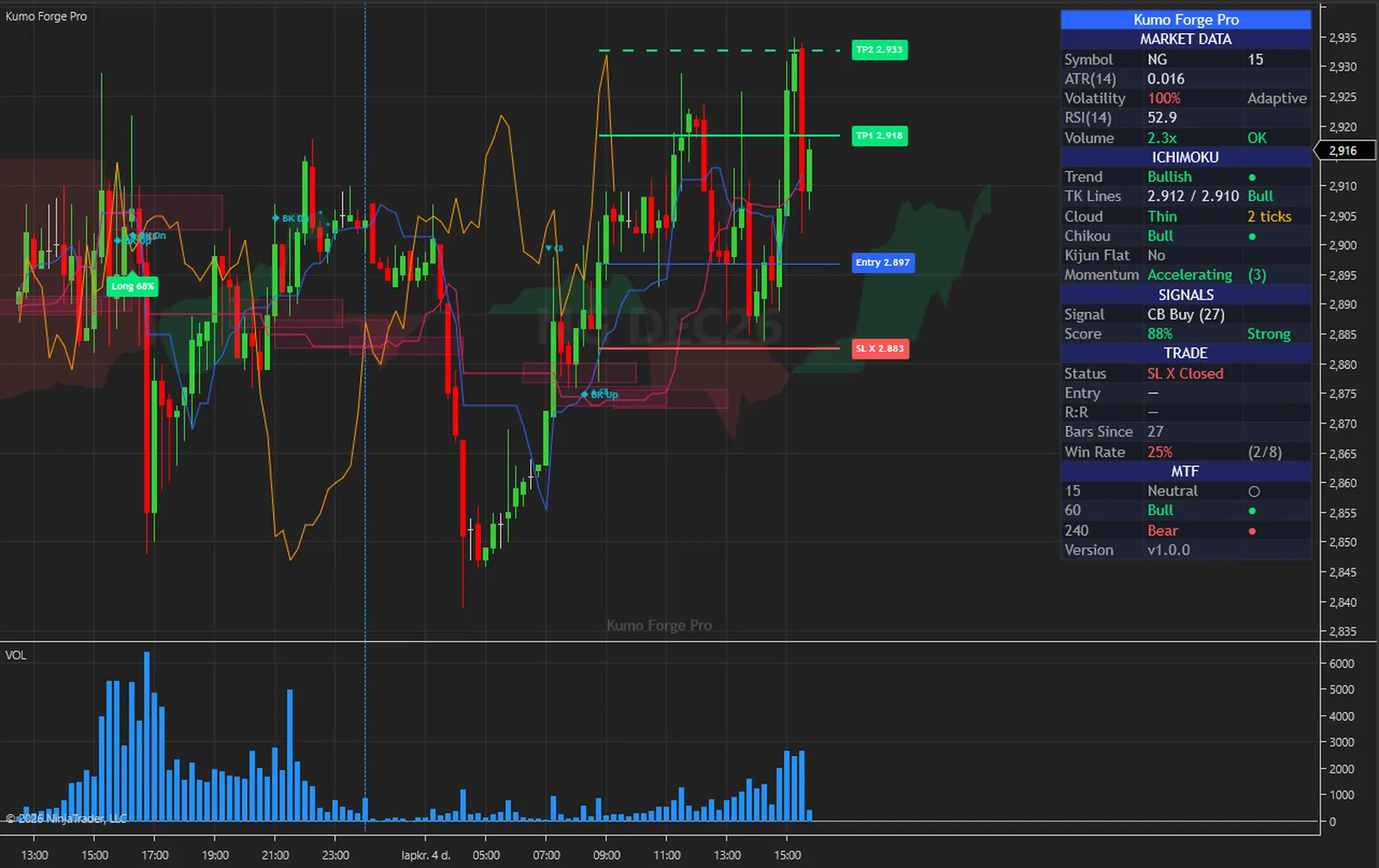
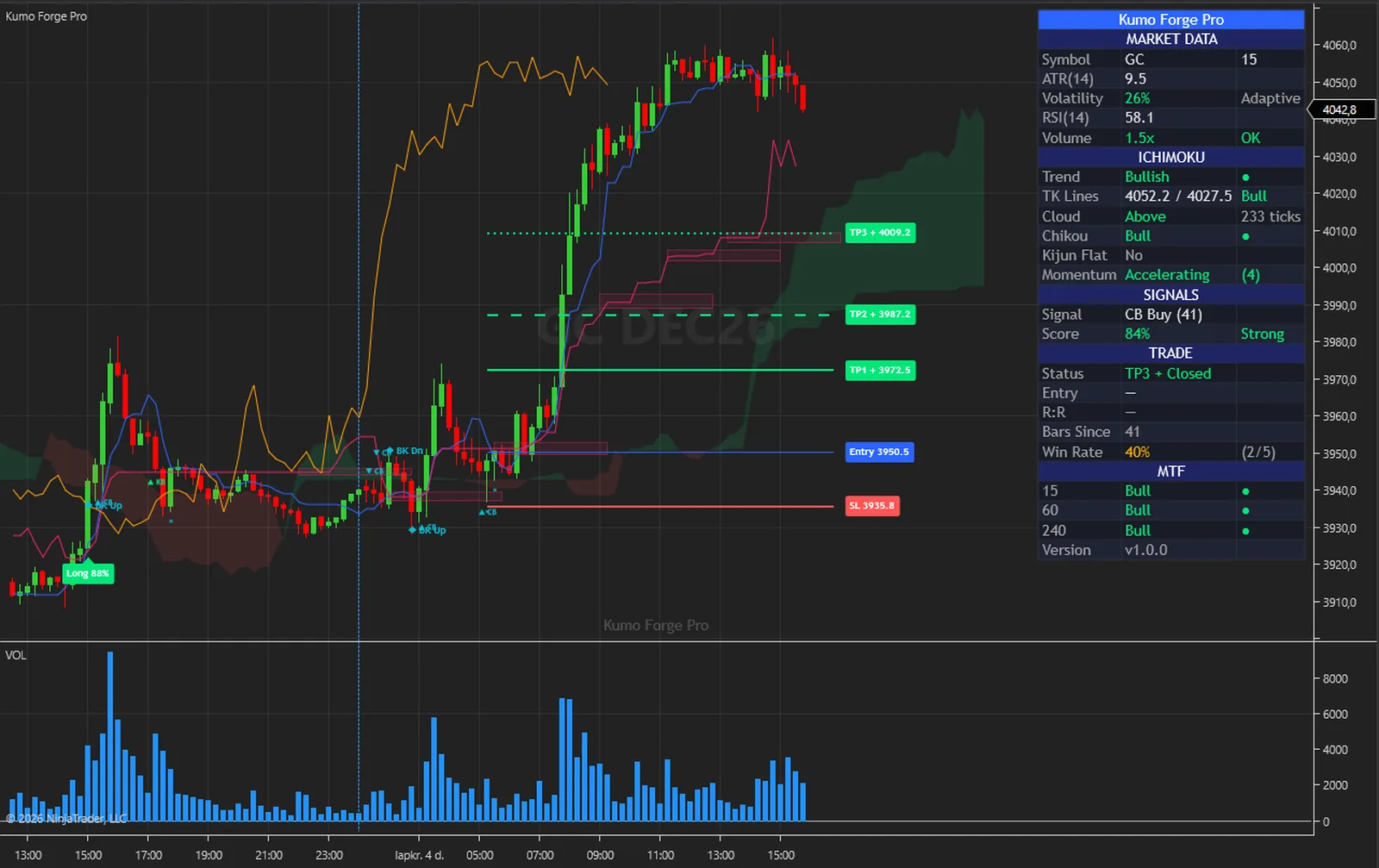
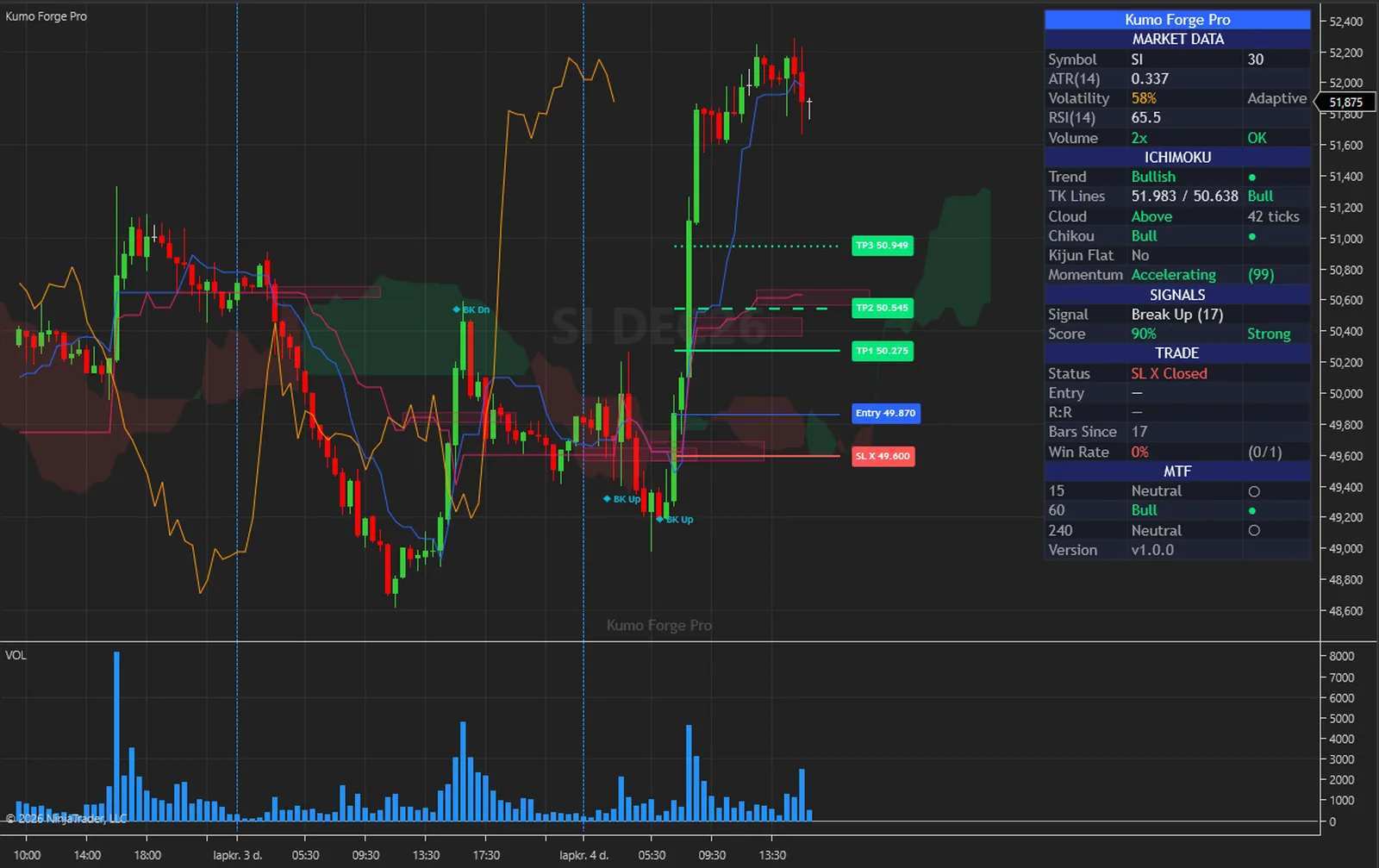
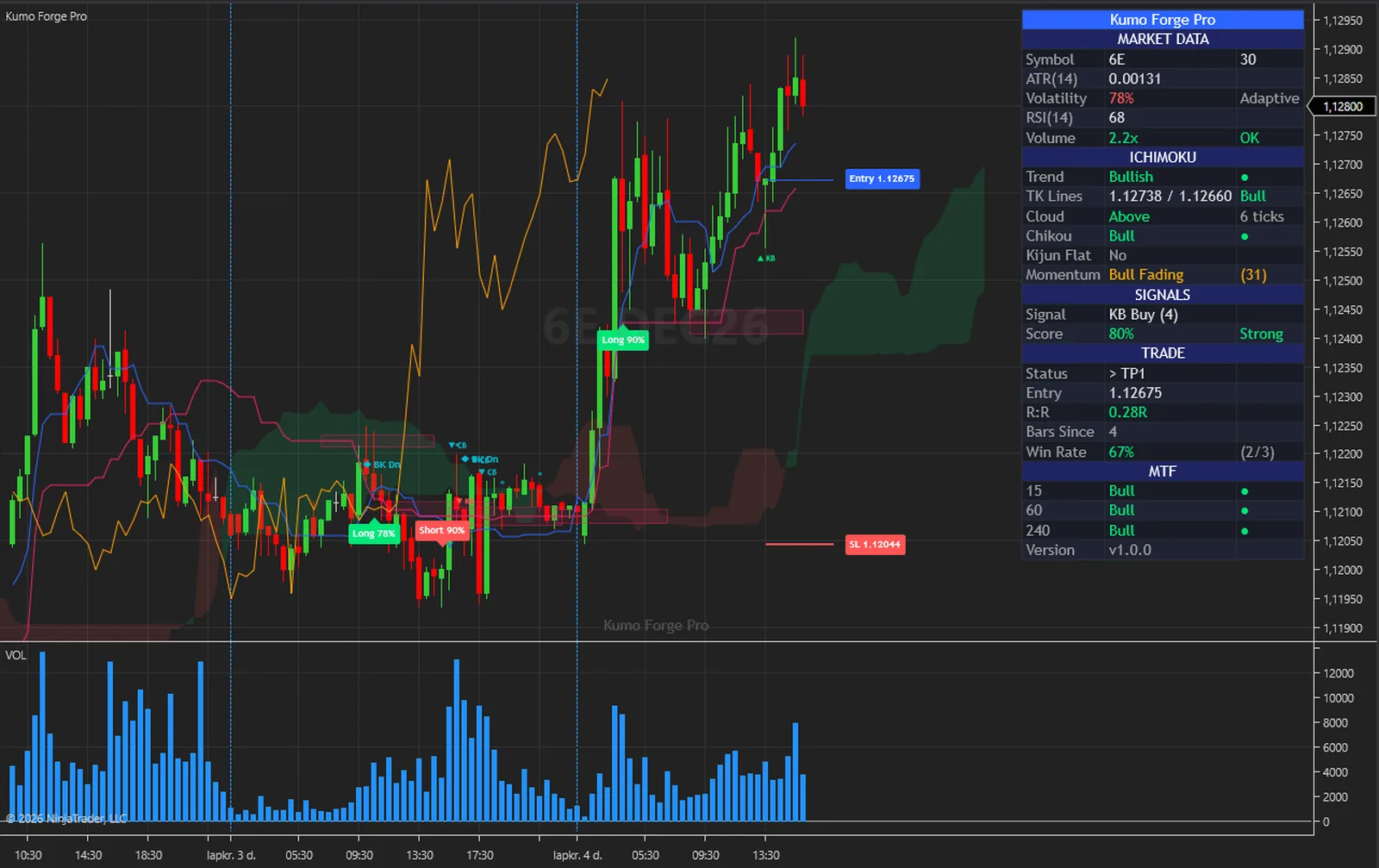
The same steps on every closed bar, in this order. Nothing hidden and nothing exotic.
In Adaptive mode the Tenkan, Kijun and Span B lengths scale with volatility over the lookback you set. In Classic mode they stay at your numbers.
Tenkan, Kijun, Senkou A and B, and the Chikou span, with the cloud and the Chikou displaced by your Displacement setting.
A cross, a bounce off the Kijun or a cloud edge, a close through the cloud on volume, or a return to the broken edge within ten bars.
Kumo Thickness, Volume and Chikou Confirmation can block it, and the score must reach your Min Confluence Score. No signal is allowed before Span B Period plus Displacement bars, at least 80.
Entry at the close, the stop by your SL Mode, three targets at your ratios, the alerts fired and the dashboard updated. The lines stay until the next signal.
| Plain Ichimoku | Kumo Forge Pro | |
|---|---|---|
| Periods | Fixed | Adaptive with volatility, or Classic |
| Signals | You read them off the lines | Five families, marked on closed bars |
| Signal strength | None | Confluence score on the plate |
| Which signals to take | All or none | Your minimum score and four filters |
| Stop and targets | You work them out | Drawn at the signal, in your ratios |
| Bigger picture | One chart at a time | Three higher-timeframe rows |
| For your strategies | The lines | Six series including Signal |
The engine that computes everything also runs outside NinjaTrader. With its diagnostic dump switched on, the NinjaTrader edition writes every committed bar with the values it drew; those bars are replayed through the engine outside the platform, and the two files are compared value by value.
On 4,923 MNQ 1-minute bars every one of the 212 series compared was equal on every bar. A second run, with Calculate set to each tick and the chart left live across the switch from history to live bars, gave the same result on 4,213 bars.
What that proves: the indicator receives exactly one closed bar per chart bar with the right open, high, low, close and volume, never double-feeds or skips a bar, and shows the values the engine produced. What it does not claim: it is a test of correct calculation, not of trading results, and it says nothing about future performance.
The full method is in the user guide: User Guide (PDF) and Installation and Quick Start (PDF).
No subscription and no renewal. Pay once and the indicator stays licensed to your NinjaTrader account, updates included.
Kumo Forge ProNinjaTrader 8 indicator
$77one payment, lifetime licence
The licence is issued to your NinjaTrader account through NinjaTrader's Vendor Licensing, by hand, normally within a few hours and always within 24 hours of your form arriving. You get an email with the download link when it is done.
Because a licence cannot be handed back once it is on your account, a sale is final once the licence has been issued. If you paid and the licence has not been issued yet, email me and I will refund you in full. The user guide is public, so you can read exactly what the indicator does before you pay.
The full terms of sale and the privacy notice for buyers are one page each, in plain language.
Trading carries risk of loss. This is an analysis tool, not financial advice, and no indicator can promise a profit.
Signals and plates are decided on the closed bar and stay where they were. With Calculate set to each tick the lines follow the forming bar as a preview that leaves nothing behind, and the signal still waits for the close. The Senkou lines are plotted ahead of the bars and the Chikou span behind them, which is how Ichimoku is drawn, and neither changes a signal after it has printed.
No signal is allowed before Span B Period plus Displacement bars, at least 80 at the defaults. Each higher timeframe loads 500 bars by default for the dashboard rows. Raise Days to load in the Data Series dialog if a chart looks short.
The cloud is plotted ahead of the bars that computed it. Chart Properties, Right side margin, makes room to see the tip.
Yes. Tenkan-Sen, Kijun-Sen, Chikou Span, Senkou A, Senkou B and Signal can be read from a NinjaScript strategy and shown as Market Analyzer columns. A strategy that hosts the indicator must add the same three data series itself, with the same timeframes.
NinjaTrader 8.1 Desktop for Windows; the build is tested on 8.1.9.0. Any data connection that delivers bars works, including the free simulation connection.
No. NinjaTrader 8 is free to download and use for charting and simulation, with free real-time futures data for the simulator. A live account with a broker of your choice is a separate step that this indicator does not need. NinjaTrader is the platform it runs inside, not a broker.
No. The licence is tied to your NinjaTrader account login through NinjaTrader's Vendor Licensing, not to a PC. Log in on any installation and the indicator runs; a new PC needs no transfer.
I issue it by hand in the NinjaTrader Vendor Dashboard. It is normally done within a few hours and always within 24 hours of your form arriving, including weekends.
No. It is one payment of 77 USD for a lifetime licence on one NinjaTrader account, with future updates included.
Once the licence has been issued the sale is final, because a licence on your account cannot be handed back. That is why the user guide is public: read it first. If you paid and the licence has not been issued yet, email me and I will refund you in full.
Yes. Email me from the address you bought with and I will move the licence to your new account login.
No indicator can promise that, and this one does not. It gives you Ichimoku signals with a score, and a stop and targets to plan around. What you do with that, and how you size positions, decides the outcome.
Each one is a compiled NinjaScript Add-On, 77 USD once, with its own page, charts and public user guide.
A range filter whose turns are scored across ten layers on closed bars and marked BUY or SELL only past an anti-chop gate, with pivot levels, a dashboard and a timeframe strip.
$77 one payment, lifetime licence
A range filter whose regime flips on closed bars print BUY and SELL plates, with a stop in one of three modes, three targets at multiples of the risk, an EMA cloud and a dashboard.
$77 one payment, lifetime licence
A fast and a slow EMA with a trend band, three signal families on closed bars, swing support and resistance rays, and an entry, a stop and two ATR targets for each signal.
$77 one payment, lifetime licence
77 USD once. A lifetime licence on your NinjaTrader account, updates included, and the licence issued within 24 hours.


